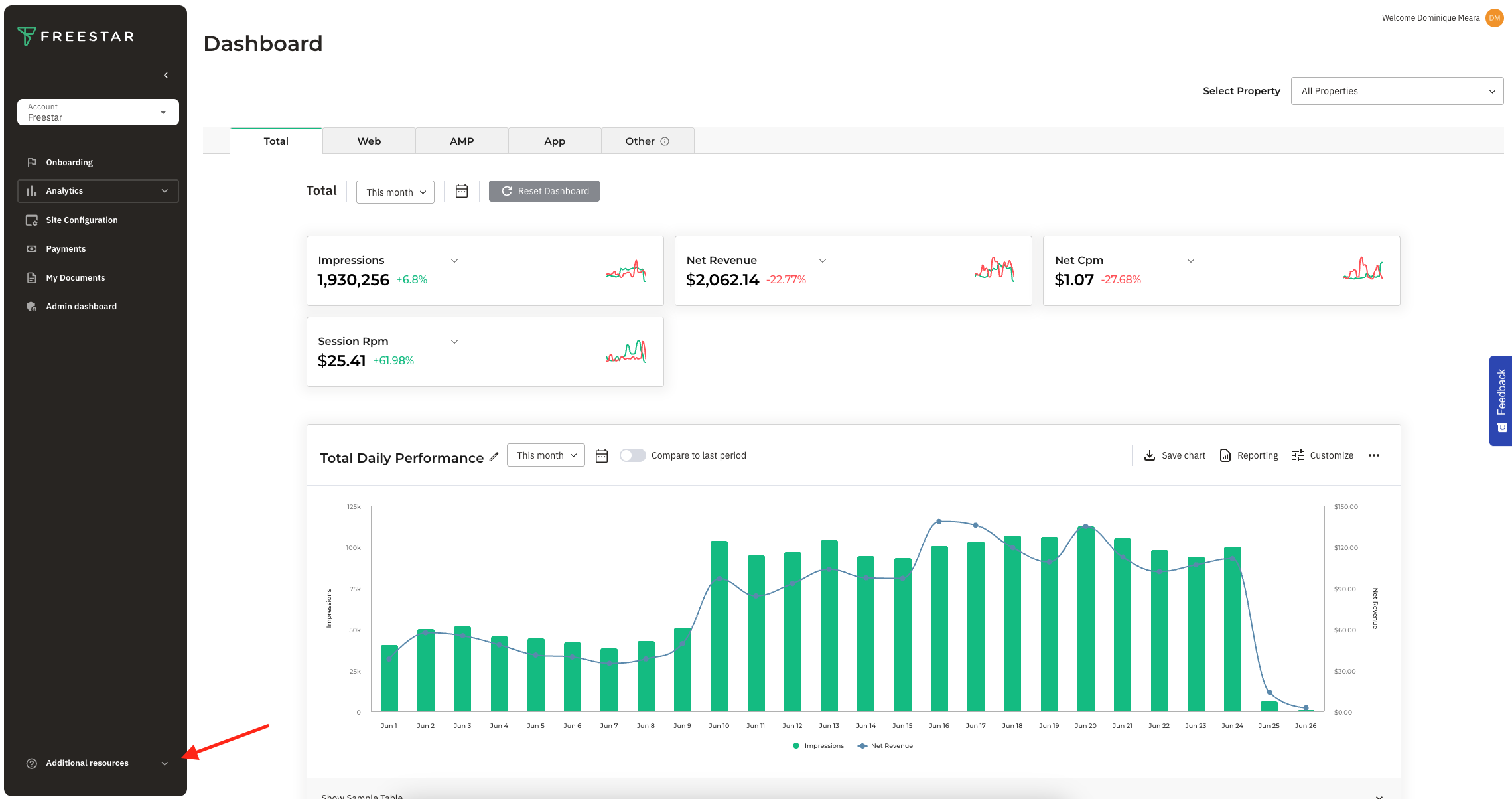
Below you will find detailed instructions around how to reach out to our Support team with a request you may have.
Log in to the Freestar Dashboard. In the bottom left corner you'll see "Additional resources", click to expand.
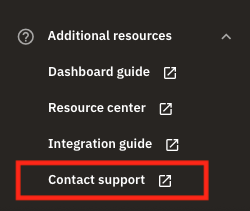
Once expanded, click into "Contact support".
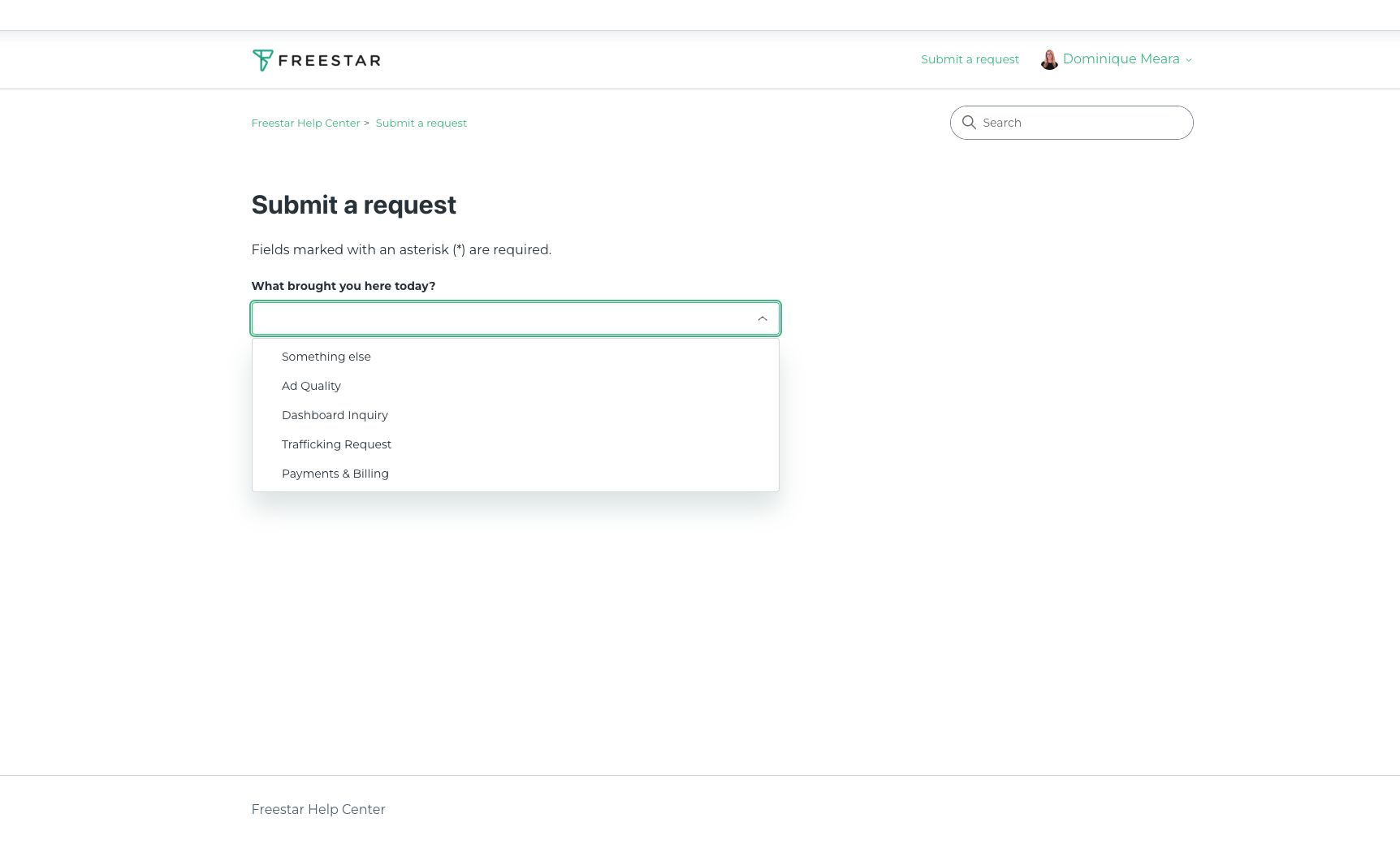
You'll be navigated to a drop down, where you will select the reasoning why you are contacting support.
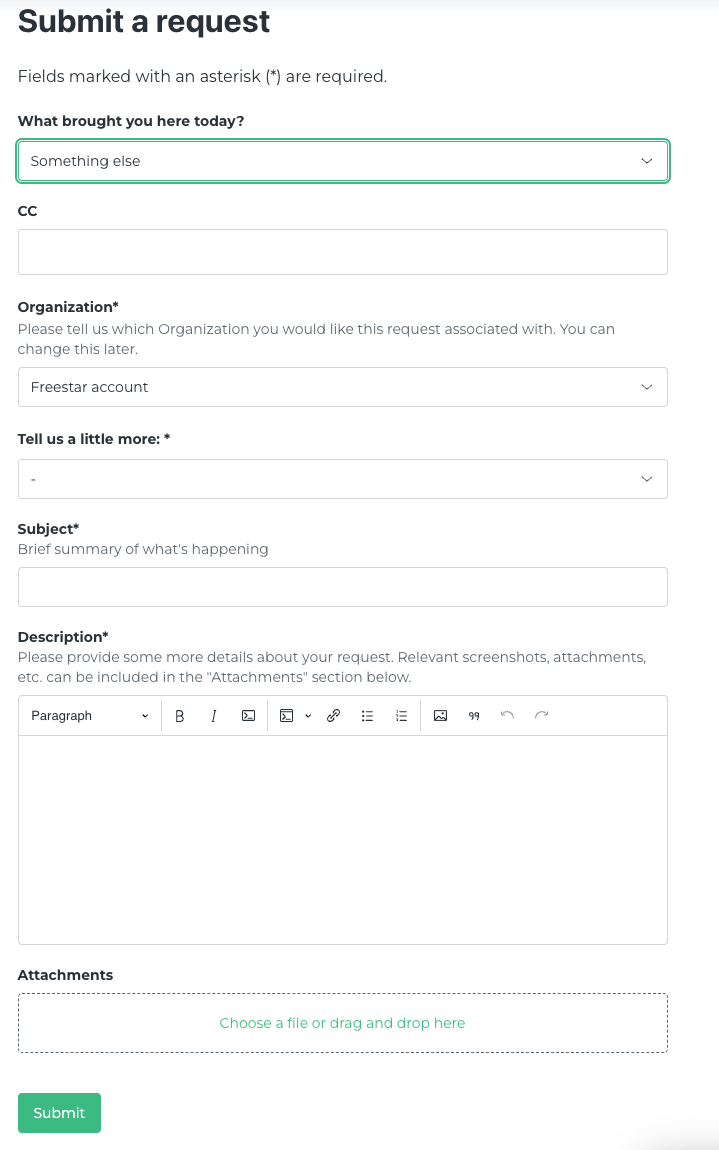
Fill out the form with the necessary information and click submit. One of our experts will then respond to you via email.